


Every CMMS & Asset Management Feature
You Need, in One Platform
From the QR tag on the asset to the API feeding your ERP, RexoAsset brings tracking, maintenance, inventory, compliance, lifecycle cost and reporting together, so your team stops working around spreadsheets.

Asset Tracking & Identification
Give every asset a digital identity and always know where it is, who has it and what condition it is in.
QR Code & Barcode Scanning
Tag each asset once, then look up its location, condition and full history in seconds with any smartphone camera.
RFID Tag Support
Read RFID tags in bulk for pallets, tools and fast-moving equipment without scanning items one by one.
GPS & Location Tracking
Follow vehicles, mobile equipment and high-value assets automatically, with geofence alerts when they leave a zone.
Check-In / Check-Out & Custody
Log every hand-over between people, sites and departments with a time-stamped custody trail.
Central Asset Register
One searchable register for every asset, with filters by site, category, owner, status or custom field.
Photos, Documents & Attachments
Attach manuals, invoices, warranty cards and photos to the asset record so nothing lives in a drawer.

Maintenance & Work Order Management
Move from reactive repairs to planned maintenance, with every job assigned, tracked and costed.
Preventive Maintenance Scheduling
Schedule recurring maintenance by calendar date, meter reading or usage so critical services are never missed.
Work Order Management
Create, assign, prioritise and close work orders with checklists, notes, photos and time spent.
Meter & Usage-Based Triggers
Trigger maintenance from hours run, mileage or cycle counts instead of guessing from the calendar.
Downtime & Failure Tracking
Record breakdowns, causes and downtime to see which assets cost you the most and why.
Maintenance History & Cost
See every repair, part and labour hour against an asset to decide whether to repair or replace.
Spare Parts Linking
Link spare parts to the assets that use them so technicians arrive with the right part the first time.
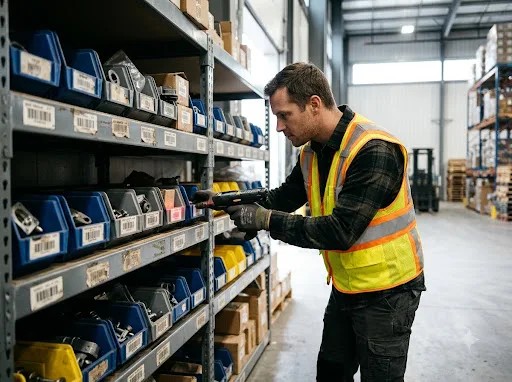
Inventory & Stock Management
Keep consumables, spares and tools accurate across every warehouse, van and site.
Real-Time Stock Levels
See exact quantities on hand by site, bin and location, updated as stock is issued and received.
Reorder Points & Low-Stock Alerts
Set minimum levels per item and get alerted before a stock-out stops a job.
Multi-Warehouse Transfers
Move stock between sites, vans and departments with a full transfer record.
Cycle Counts & Stock Takes
Run mobile counts by scanning bins, and reconcile variances in minutes rather than days.
Bin & Location Management
Map shelves, racks and bins so every item has a known home and is found fast.
Purchase Request Support
Raise purchase requests from low-stock alerts and keep the approval trail with the item.

Inspections, Audit & Compliance
Standardise inspections, prove compliance and be audit-ready every day, not just before the audit.
Digital Inspection Checklists
Build pass/fail checklists once and run them on mobile, with photos and sign-off captured on the spot.
Audit Mode & Physical Counts
Reconcile what you own against what is on the floor, with variances flagged automatically.
Certification & Warranty Tracking
Track expiry dates for certificates, licences and warranties and renew them before they lapse.
Calibration Scheduling
Schedule calibrations, store certificates and spot instruments drifting out of tolerance.
Immutable Audit Trail
Every change to an asset record is logged with who, what and when, ready for any auditor.
Compliance Reports
Export audit-ready reports for regulators, insurers and customers in a few clicks.

Lifecycle, Depreciation & Cost Control
Manage each asset from procurement to disposal and understand its true cost along the way.
Full Lifecycle Management
Track procurement, deployment, maintenance, transfer and retirement in one continuous record.
Depreciation Tracking
Apply straight-line or declining-balance methods and keep current book value up to date automatically.
Total Cost of Ownership
Combine purchase cost, maintenance, parts and downtime to see the real cost of each asset.
Warranty & Contract Management
Keep warranties, service contracts and lease terms attached to the asset with renewal reminders.
Disposal & Write-Off Records
Log disposal method, date and value so retired assets leave the books cleanly.
Replacement Planning
Flag assets nearing end of life so budgets can be planned instead of reacting to failures.

Analytics, Dashboards & Reporting
Turn asset data into decisions with live dashboards, scheduled reports and predictive insight.
Real-Time Dashboards
Live utilisation, status, cost and health of your asset base on one screen, filtered by site or team.
Custom Report Builder
Build the exact report each stakeholder needs from any field, without writing code.
Scheduled Report Delivery
Send reports to managers, finance or auditors automatically on the schedule you choose.
Data Visualization
Charts and trends that make utilisation, cost and downtime easy to read at a glance.
Predictive Analytics
Spot assets at risk of failure early using usage and maintenance history.
Export to PDF, CSV & Excel
Take any list or report into PDF, CSV or Excel for finance, audit or board packs.
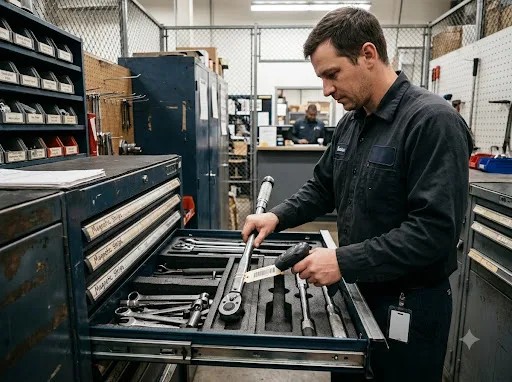
Mobile App & Field Productivity
Put the whole platform in your technicians' pockets, with or without a connection.
iOS & Android App
Scan, inspect, update records and close work orders from the field on the devices your team already has.
Offline Mode
Keep working in basements, warehouses and remote sites. Everything syncs once you are back online.
Built-In Camera Scanning
Use the phone camera for QR and barcode scanning, so no dedicated scanner is needed.
Push Notifications
Deliver overdue jobs, lapsed certificates and threshold alerts straight to the right person's phone.
Field Work Order Completion
Capture time, parts, notes and photos on the job and close it on site.
Nearby Assets & Maps
Find assets near you or on a site map to speed up rounds and inspections.
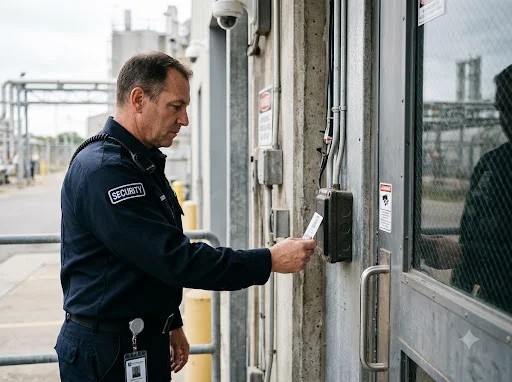
Platform, Security & Integrations
An enterprise-ready foundation that fits your organisation, your data and your existing systems.
Role-Based Access Control
Control who can view, edit or approve changes by role, department or site.
Multi-Site & Multi-Location
Run every site from one account, with local views for teams and a roll-up for leadership.
Custom Fields & Forms
Capture the exact data your industry needs without waiting on a developer.
REST API & Integrations
Sync asset data with your ERP, ITSM or accounting system through a documented API.
Bulk Import & Data Migration
Bring your existing asset list in from a spreadsheet in minutes, not weeks.
Activity Logs & Governance
Review who did what across the platform with a searchable activity log.
Asset Management Software Questions
What features should CMMS and asset management software have?
Good CMMS and asset management software should cover asset identification (QR, barcode, RFID, GPS), a central register, maintenance and work orders, inventory, inspections and audits, depreciation and lifecycle cost, reporting, a mobile app that works offline, role-based access and integrations. RexoAsset includes all of these in one platform.
Does RexoAsset have a mobile app that works offline?
Yes. The RexoAsset mobile app for iOS and Android supports scanning, inspections and work orders without a connection, and syncs everything automatically once the device is back online.
Can RexoAsset track assets with QR codes, barcodes, RFID and GPS?
Yes. You can mix QR codes, barcodes, RFID tags and GPS by asset type, so low-cost items are scanned and high-value or mobile equipment updates automatically.
Does RexoAsset integrate with ERP and accounting systems?
RexoAsset provides a documented REST API and supports bulk import and export, so asset, maintenance and cost data can stay in sync with your ERP, ITSM or accounting tools.
Can I control who sees and edits asset records?
Yes. Role-based access lets you scope permissions by role, department or site, and every change is written to an audit trail.
Is RexoAsset suitable for multi-site and multi-industry organisations?
Yes. Multi-site management, custom fields and configurable workflows let one platform serve different locations and industries, from manufacturing and healthcare to logistics and IT.
Ready to Take Control of Your Assets?
- Free walkthrough
- Built around your own assets
- Reply within 1 business day